
In 2025, 83% of organizations worldwide are already using Learning Management Systems (LMS) to train employees (Citrusbug).The corporate LMS market, valued at USD 11.3 billion in 2024, is forecasted to hit USD 40 billion by 2031 (PR Newswire).
With this kind of growth, organizations face a key question:
Do you want a platform tailored to your exact needs, or is a quick, affordable, off-the-shelf solution good enough?
Let’s break it down.
Custom eLearning Platforms
Custom learning platforms are built from scratch for your organization’s unique requirements. Think of them as bespoke solutions, often developed with instructional designers and tech experts.
Use Case examples:
Digilearn A custom eLearning solution offering offline mode for students with limited internet access, role-based dashboards for teachers and managers, performance analytics, and interactive forums. These features would be hard to replicate in a pre-built LMS without heavy customization.
MotivateMD Designed for medical aspirants, this platform seamlessly handles growing user bases while supporting features like goal tracking, mentor interactions, and personalized learning paths—perfect for evolving needs.
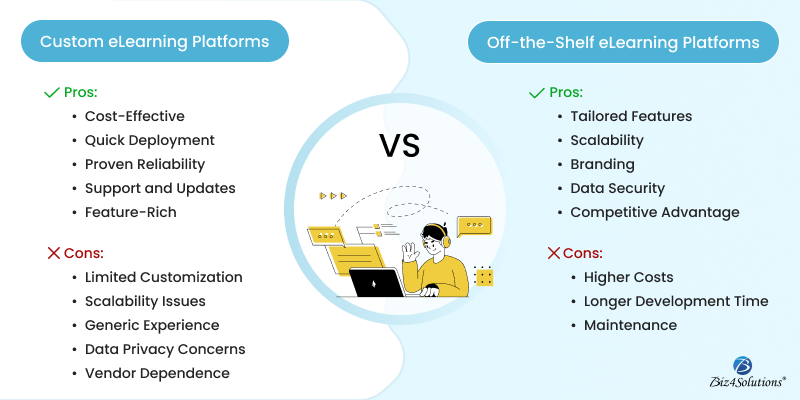
Pros
- Tailored Features: Perfect for organizations needing advanced integrations or specialized training programs. With USD 320.96 billion projected for the global eLearning market by 2025 (Demand Sage), the demand for unique learning experiences is on the rise.
- Scalability: Custom solutions grow with your organization. If your workforce doubles, the platform can evolve accordingly.
- Branding Control: Full customization ensures your learning environment reflects your brand identity consistently.
- Enhanced Security: Compliance with industry standards like GDPR or HIPAA is easier when you control the entire platform.
- Competitive Advantage: A unique platform experience helps differentiate you from competitors using generic solutions.
Cons
- Higher Upfront Cost: Developing custom software is an investment—both in money and time.
- Longer Development Timeline: Depending on complexity, it can take months or even a year before launch.
- Ongoing Maintenance: Updates, security patches, and new features require continuous support and funding.
Off-the-Shelf eLearning Platforms
Off-the-shelf solutions like Moodle, Blackboard, and TalentLMS come pre-built and ready to deploy.
Use Case Examples:
Moodle A widely used open-source LMS adopted by organizations like the Open University (UK) to deliver courses to thousands of learners. It comes with features like forums, assignments, quizzes, and reporting—ready to deploy without coding from scratch.
TalentLMS Chosen by companies like Isuzu to train employees across regions, TalentLMS offers built-in gamification, multilingual support, and reporting tools—making it ideal for quick, scalable training deployment.
Pros
- Cost-Effective: Many platforms offer subscription models starting at a fraction of the price of custom development.
- Fast Deployment: In an era where 60% of organizations say quick implementation is their top priority for LMS adoption (TrainingIndustry.com), off-the-shelf platforms win on speed.
- Proven Reliability: Thousands of users worldwide ensure bugs are identified and resolved quickly.
- Support & Updates: Vendors handle software updates and technical support , freeing your IT team from extra work.
- Feature-Rich: Gamification, analytics, mobile compatibility—many features come standard.
Cons
- Limited Customization: You may need to compromise on workflows or branding elements.
- Scalability Costs: Growth often means upgrading to more expensive plans.
- Generic Learning Experience: Pre-set templates can feel less personalized to learners.
- Data Privacy Concerns: Sensitive data security depends heavily on the vendor’s infrastructure.
- Vendor Dependence: Long-term functionality relies on the provider’s roadmap and business stability.
Factors to Consider Before Choosing
- Budget: Do you have funds for custom development, or is a monthly subscription better?
- Timeline: Do you need the platform live in weeks or can you wait months for development?
- Features: Are there specialized workflows your organization needs?
- Scalability: Will your needs change as your organization grows?
- Compliance: Are there strict data security regulations to meet?
End Note
The right eLearning platform depends on your goals, budget, and timeline.
- Custom platforms fit organizations that want full control, scalability, and personalization—at a higher cost and longer lead time.
- Off-the-shelf platforms provide affordability, quick implementation, and proven reliability, though with less customization.
With the global eLearning market expanding at unprecedented rates, making a thoughtful choice now will set your organization up for long-term success.