
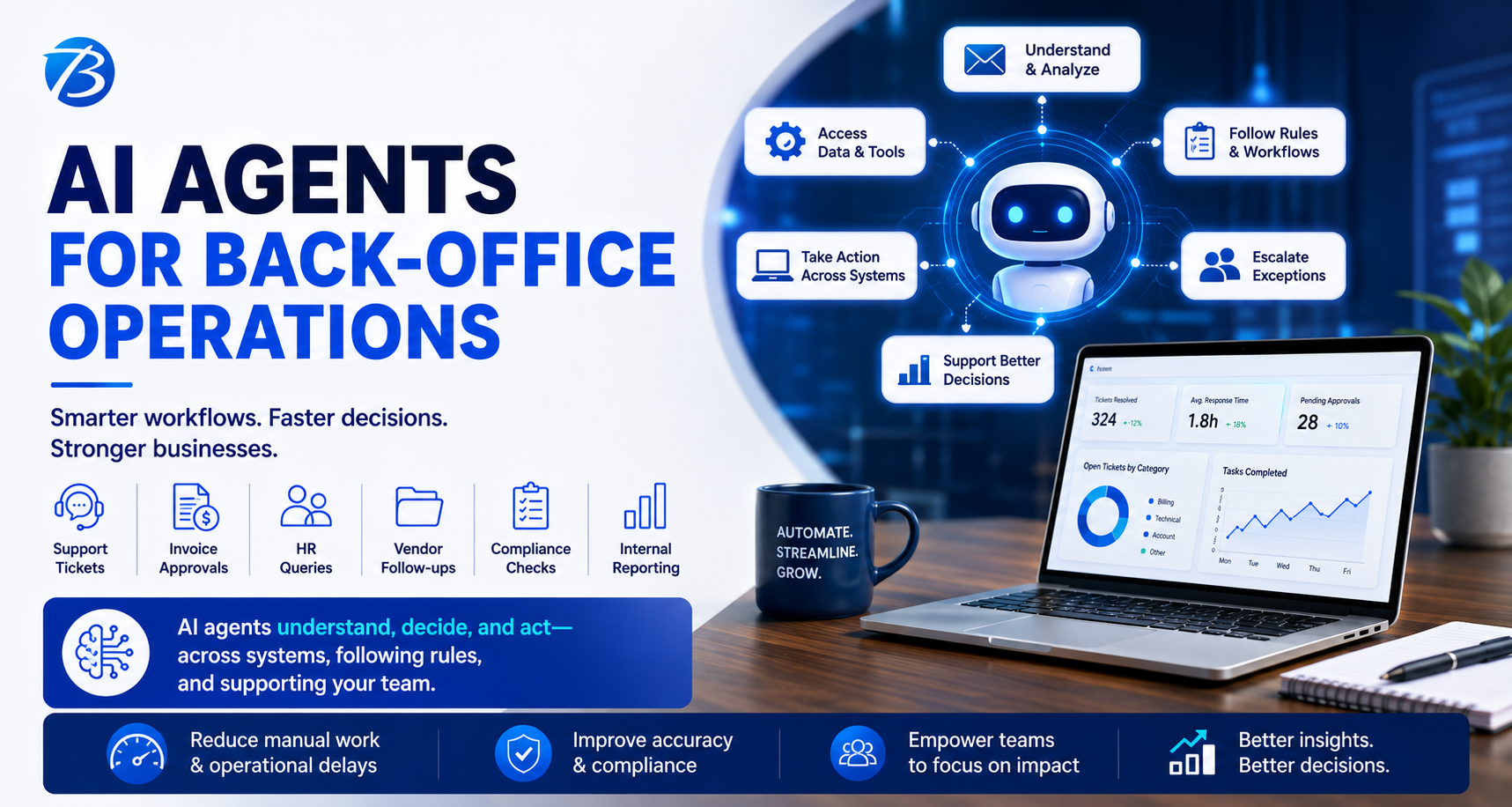
Back-office operations rarely get the spotlight, but they quietly decide how fast a business responds, how accurately teams process information, and how confidently leaders make decisions. Whether it is customer support tickets, invoice approvals, HR queries, vendor follow-ups, compliance checks, or internal reporting, most companies still depend on manual coordination, fragmented tools, and repetitive decision-making.
This is where AI agents for back-office operations are becoming highly relevant.
Unlike basic automation scripts or traditional chatbots, AI agents can understand context, take actions across systems, follow business rules, escalate exceptions, and support human teams with better decisions. For entrepreneurs, CTOs, operations heads, and CEOs planning custom software development, the real question is no longer, “Can AI help?” The better question is, which back-office workflows should we redesign with AI agents first?
What Are AI Agents in Back-Office Operations?
AI agents are software systems that can understand a task, access relevant data, reason through next steps, and perform actions with limited human intervention. In back-office operations, they can work across emails, CRMs, ERPs, ticketing tools, helpdesk systems, finance platforms, HRMS, document repositories, and custom SaaS applications.
For example, an AI agent can read an incoming support ticket, classify the issue, check the customer’s account history, suggest a response, create an internal task, notify the right team, and escalate the case if the issue involves compliance or revenue risk.
This is very different from simple workflow automation. Traditional automation usually follows fixed “if-this-then-that” logic. AI agents are more flexible because they can interpret unstructured information such as emails, PDFs, chat conversations, notes, invoices, contracts, and customer feedback.
For businesses building custom AI software, AI-powered SaaS platforms, or enterprise workflow automation systems, this opens a powerful opportunity to reduce operational delays and improve decision quality.
Why Are Back-Office Teams Struggling Even After Using Multiple Software Tools?
Many companies already use CRMs, ERPs, helpdesk platforms, project management tools, spreadsheets, and communication apps. Yet teams still spend hours copying data, checking statuses, sending reminders, preparing summaries, and asking for approvals.
The problem is not always the absence of software. The problem is that most systems do not think, interpret, or coordinate across departments.
A customer support tool may store tickets, but it may not understand the business impact of a delayed response. An accounting system may record invoices, but it may not automatically flag unusual payment patterns. A CRM may show lead activity, but it may not advise which prospect needs urgent attention. A project management tool may track tasks, but it may not identify risks early.
AI agents sit between systems, data, and people. They help convert disconnected software into intelligent operations.
This is why many companies are now exploring AI agent development, custom software development, SaaS application development, and AI workflow automation as part of their digital transformation roadmap.
How Can AI Agents Improve Ticket Handling?
Ticket handling is one of the most practical starting points for AI agent implementation. Most support teams deal with repeated issues, incomplete information, wrong categorization, delayed assignments, and long resolution cycles.
An AI ticket handling agent can read a ticket, understand the customer’s intent, identify urgency, classify the issue, assign it to the right department, suggest possible solutions, and prepare a response draft for the support executive.
For example, if a customer writes, “My payment was deducted but the subscription is still inactive,” the AI agent can recognize this as a billing and access issue. It can check payment status, subscription records, previous tickets, and SLA rules before recommending the next action.
This reduces the time spent on manual triage and helps support teams focus on resolution instead of sorting.
For a SaaS business, marketplace platform, healthcare app, fintech product, or enterprise web application, this kind of AI-powered ticket management system can directly improve customer experience and operational efficiency.
Can AI Agents Reduce Manual Work in Finance and Accounting?
Finance teams often handle repetitive but sensitive workflows such as invoice processing, payment reminders, expense validation, reconciliation, and reporting. These tasks require accuracy, compliance, and timely action.
AI agents can help finance teams by extracting information from invoices, matching purchase orders, identifying missing details, flagging duplicate bills, generating payment follow-ups, and preparing financial summaries.
For example, an AI agent can review incoming vendor invoices, compare them with approved purchase orders, check payment terms, and highlight exceptions for finance managers. It does not replace the finance team; it reduces the noise around routine verification.
For companies planning custom finance software development, AI accounting automation, or ERP-integrated workflow systems, AI agents can become a practical layer of intelligence over existing finance operations.
The biggest value is not just speed. It is consistency. AI agents can apply the same rules every time, maintain audit trails, and reduce the chances of missed follow-ups.
How Do AI Agents Support HR and Employee Operations?
HR teams often manage repetitive internal queries related to leave policies, onboarding, payroll, benefits, appraisals, and documentation. In many growing companies, HR teams become overloaded because employees ask similar questions through email, chat, and internal portals.
An AI HR operations agent can answer policy-related questions, guide employees through onboarding steps, remind managers about pending approvals, summarize candidate feedback, and help HR teams maintain better documentation.
For example, when a new employee joins, the AI agent can coordinate document collection, IT asset requests, induction schedules, policy acknowledgments, and follow-up reminders. This creates a smoother employee experience while reducing administrative load.
For companies building employee portals, HR SaaS platforms, internal business apps, or workflow automation software, AI agents can help deliver a more responsive and personalized experience.
Can AI Agents Help Leaders Make Better Decisions?
This is where AI agents become more strategic.
Back-office teams generate a large amount of operational data, but leaders often receive delayed, incomplete, or manually prepared reports. Decision support AI agents can analyze information across departments and provide useful summaries, alerts, and recommendations.
For example, an AI decision support agent can tell a business head that customer complaints are increasing in a specific product category, vendor payments are getting delayed in a particular region, or project delivery risks are rising because of repeated dependency issues.
Instead of waiting for monthly reports, leaders can get near real-time operational intelligence.
This is especially useful for CTOs, CEOs, and operations heads who want to build AI-powered dashboards, custom business intelligence software, or decision support systems that go beyond static reporting.
A well-designed AI agent does not simply show data. It helps answer business questions such as: What needs attention today? Which process is slowing down revenue? Where are customers getting stuck? Which approval is delaying delivery? What risk should leadership review immediately?
Where Can AI Agents Fit in a Custom Software Product?
AI agents can be embedded into many types of custom software products. They can work inside web applications, mobile apps, SaaS platforms, enterprise portals, admin dashboards, CRM systems, ERP extensions, and customer support platforms.
For a mobile app, an AI agent may help users complete tasks faster through guided conversations. For a SaaS product, it may assist administrators with reports, alerts, and workflow recommendations. For an enterprise web platform, it may coordinate approvals, document reviews, and internal escalations. For a customer support product, it may reduce ticket load through intelligent triage and automated response suggestions.
This makes AI agents highly relevant for companies planning mobile app development, web application development, AI SaaS development, and custom enterprise software development.
The key is to avoid adding AI as a decorative feature. AI agents should be connected to a real business workflow where they can save time, improve accuracy, reduce friction, or support better decisions.
What Should You Automate First with AI Agents?
The best starting point is usually a workflow that is repetitive, rule-driven, high-volume, and dependent on information scattered across multiple systems.
Ticket categorization, invoice checks, internal approvals, customer follow-ups, reporting, document review, onboarding, and compliance reminders are strong candidates.
However, not every process should be fully automated from day one. In many cases, the right approach is human-in-the-loop automation. The AI agent prepares, recommends, validates, or drafts the next step, while a human approves critical decisions.
This is especially important in industries such as healthcare, finance, insurance, legal services, logistics, and enterprise SaaS, where accuracy, compliance, and accountability matter.
A good AI software development partner should help identify where AI agents can deliver measurable value without creating unnecessary operational risk.
What Are the Key Features of a Good AI Agent System?
A useful AI agent system needs more than a language model. It requires thoughtful product design, strong backend architecture, secure integrations, workflow logic, data access controls, and continuous monitoring.
The core capabilities usually include secure user authentication, role-based access, workflow orchestration, integration with existing tools, document processing, audit logs, escalation rules, notification systems, analytics dashboards, and admin controls.
For enterprise use cases, the system must also handle privacy, compliance, data isolation, encryption, and permission-based access. This becomes especially important when AI agents interact with customer records, financial data, employee information, or confidential business documents.
From a software engineering perspective, AI agent development often involves backend APIs, cloud infrastructure, vector databases, LLM integration, workflow engines, database design, and frontend interfaces for users and administrators.
That is why businesses should treat AI agents as part of a serious software product, not just as an experimental chatbot.
What Questions Should CTOs and CEOs Ask Before Building AI Agents?
Before investing in AI agent development, business leaders should ask a few practical questions.
- Which back-office process consumes the most manual time today?
- Where do delays affect customers, revenue, or compliance?
- Which decisions are repeatedly made using the same data?
- Which teams depend heavily on emails, spreadsheets, and manual follow-ups?
- Which workflows need human approval, and which can be safely automated?
- What systems must the AI agent integrate with?
- What data should the agent access, and what should remain restricted?
These questions help define the product roadmap more clearly.
For example, a CEO may want AI to “improve operations,” but the development team needs a sharper use case. A better starting point could be: “Reduce average ticket triage time by 60%,” or “Automate invoice verification before finance approval,” or “Create a decision support dashboard for unresolved operational risks.”
Clear goals lead to better software architecture and better business outcomes.
How Should an AI Agent Be Built for Real Business Use?
A production-ready AI agent should be designed in phases. The first phase should focus on understanding the workflow, user roles, data sources, exception paths, and business rules. The next phase can involve building a prototype that works on limited data and handles a narrow use case. Once validated, the agent can be integrated with actual business systems and expanded gradually.
For example, a company may start with an AI ticket classification agent. Once it performs reliably, the same system can be extended to suggest responses, trigger workflows, update CRM records, and generate weekly support insights.
This phased approach is safer and more practical than trying to automate the entire back-office operation at once.
For software development companies, the real work is not only building the AI layer. It is designing the full application around security, usability, scalability, integrations, analytics, and long-term maintainability.
Why Custom AI Agent Development Is Better Than Generic Tools for Complex Workflows
Generic AI tools can be helpful for simple tasks, but back-office operations usually require company-specific logic. Every business has its own approval process, customer categories, pricing rules, escalation matrix, compliance needs, reporting formats, and software ecosystem.
A custom AI agent can be designed around these realities.
It can connect with your CRM, ERP, helpdesk, accounting platform, HR system, internal database, cloud storage, and custom dashboards. It can follow your business rules, respect your access controls, and support your team’s actual way of working.
This is where custom AI agent development becomes valuable for growing companies. Instead of forcing teams to change their process around a generic tool, the AI system is designed around the business workflow.
For entrepreneurs building new SaaS products, this can also create a strong product differentiator. AI agents can become part of the product experience, helping users complete tasks faster and make better decisions.
What Business Benefits Can You Expect From AI Agents?
When implemented well, AI agents can reduce response time, improve process accuracy, lower operational workload, and give leaders better visibility into business performance.
Support teams can resolve tickets faster. Finance teams can reduce manual verification. HR teams can respond to employees more efficiently. Operations teams can track exceptions earlier. Leadership teams can make faster decisions with cleaner insights.
The larger value is that AI agents help back-office teams move from reactive work to proactive operations.
Instead of waiting for problems to become visible, the system can identify patterns, surface risks, and recommend actions earlier.
This is why AI agents are becoming an important part of digital transformation, business process automation, enterprise software development, and AI-powered SaaS product development.
What Are the Risks of Poorly Designed AI Agents?
AI agents can create real value, but only if they are designed responsibly. Poorly implemented agents may produce inaccurate responses, access the wrong data, trigger incorrect workflows, or create confusion among users.
The biggest risks usually come from unclear business rules, weak data governance, poor integration design, lack of human approval, and no monitoring process.
For critical workflows, AI agents should not operate like a black box. Teams need visibility into what the agent did, why it recommended an action, what data it used, and when a human reviewed the decision.
This is why audit logs, approval flows, confidence scoring, fallback rules, and admin controls are important in AI agent software development.
A reliable AI agent should make operations easier, not riskier.
How Can Businesses Get Started With AI Agents?
The best way to start is with one well-defined back-office problem. Do not begin with a broad ambition like “AI transformation.” Begin with a measurable workflow.
For example, start with reducing ticket triage time, automating vendor invoice review, improving employee query handling, or building a decision support dashboard for operations leaders.
Once the first use case proves value, the same foundation can be expanded into other workflows.
A good technology partner can help with process discovery, AI agent architecture, UI/UX design, backend development, API integrations, cloud deployment, data security, testing, and post-launch support.
For companies planning to build custom AI software, AI-powered web applications, mobile apps with AI features, or SaaS platforms with intelligent automation, the opportunity is not just to add AI. The opportunity is to redesign how work gets done.
Final Thoughts: Are AI Agents Ready for Your Back Office?
AI agents are no longer just an experimental concept. They are becoming practical tools for ticket handling, workflow automation, finance operations, HR support, reporting, and decision support.
For CTOs, CEOs, and entrepreneurs, the real value lies in identifying the right operational pain points and building AI agents that fit naturally into existing business workflows.
Back-office operations may not always be visible to customers, but they strongly influence customer experience, delivery speed, cost efficiency, and decision quality. Businesses that modernize these workflows with custom AI agent development will be better prepared to scale with speed, control, and intelligence.
If your teams are still spending too much time on manual follow-ups, repetitive ticket handling, spreadsheet-based reporting, and delayed decisions, AI agents may be the right next step in your software roadmap.